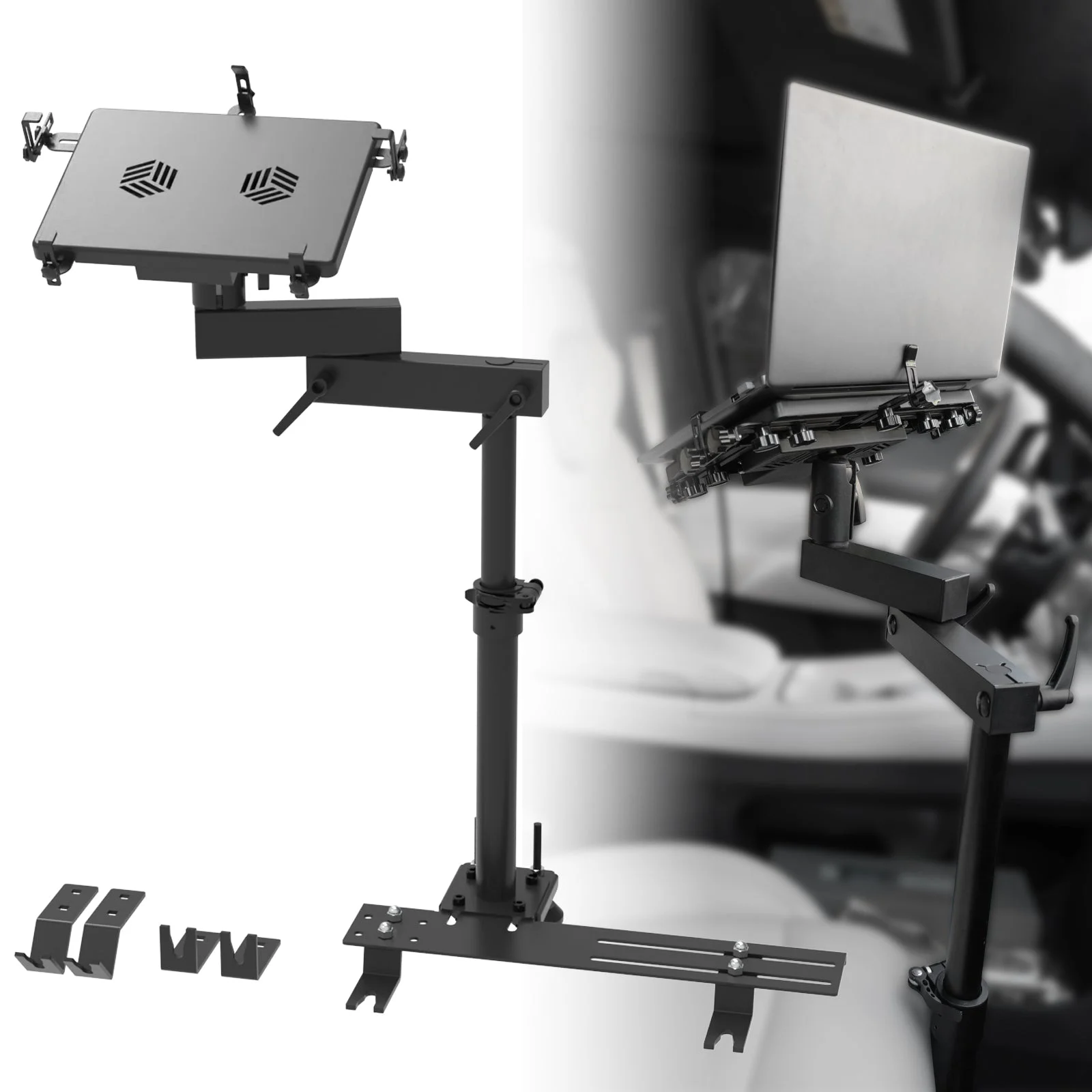
The MELIPRON Aluminum Adjustable Vehicle Laptop Mounting Bracket from Nomadic Supply Company® offers a secure and stable solution for working on the go! The MELIPRON Aluminum Adjustable Vehicle Laptop Mounting Bracket is highly compatible with various vehicle seat configurations. The MELIPRON Aluminum Adjustable Vehicle Laptop Mounting Bracket is made of high-quality aluminum and steel with an antioxidant coating for durability.
MELIPRON Aluminum Adjustable Vehicle Laptop Mounting Bracket Features:
- High Compatibility: Fits most passenger seats with 0°, 45°, and 90° mounting feet. No drilling is required.
- Double Turbo: Two built-in USB-powered fans prevent laptop overheating by increasing airflow.
- Multi-Joint Design: Includes 3 adjustable locking joints for positioning, 1 telescopic pole for height adjustment, and 5 adjustable tray clamps to hold laptops up to 17″.
- Quick Disconnect: Easily remove the telescopic pole with thumb screws to create a comfortable passenger area.
- Premium Material: Made of high-quality aluminum and steel with an antioxidant coating for solid construction and high strength, preventing wobbling or dropping while driving.
MELIPRON Aluminum Adjustable Vehicle Laptop Mounting Bracket Compatibility:
MELIPRON Aluminum Adjustable Vehicle Laptop Mounting Bracket Installation:
This guide will help you install the MELIPRON Aluminum Adjustable Vehicle Laptop Mounting Bracket efficiently without the need for drilling.
Install Time & Difficulty
30 – 45 minutes
Easy
Installation Steps
- Prepare the Area: Ensure your vehicle is parked on a flat surface and gather all necessary tools.
- Attach Mounting Feet: Position the mounting feet (0°, 45°, or 90°) on the exposed seat bolts and secure them using the provided hardware.
- Install Telescopic Pole: Attach the telescopic pole to the mounting feet and adjust the height as needed.
- Adjust Multi Joints: Position the 3 adjustable locking joints to the desired angles and secure them in place.
- Secure Laptop Tray: Attach the tray to the top of the telescopic pole and adjust the 5 clamps to fit your laptop (up to 17″).
- Connect USB Fans: Plug the built-in USB-powered fans into your laptop to prevent overheating.
- Quick Disconnect Option: If needed, easily remove the telescopic pole using the thumb screws to create a comfortable passenger area.
- Final Check: Ensure all parts are securely fastened and the laptop mount is stable.
Note
- Check all connections periodically to maintain stability and prevent wobbling while driving.