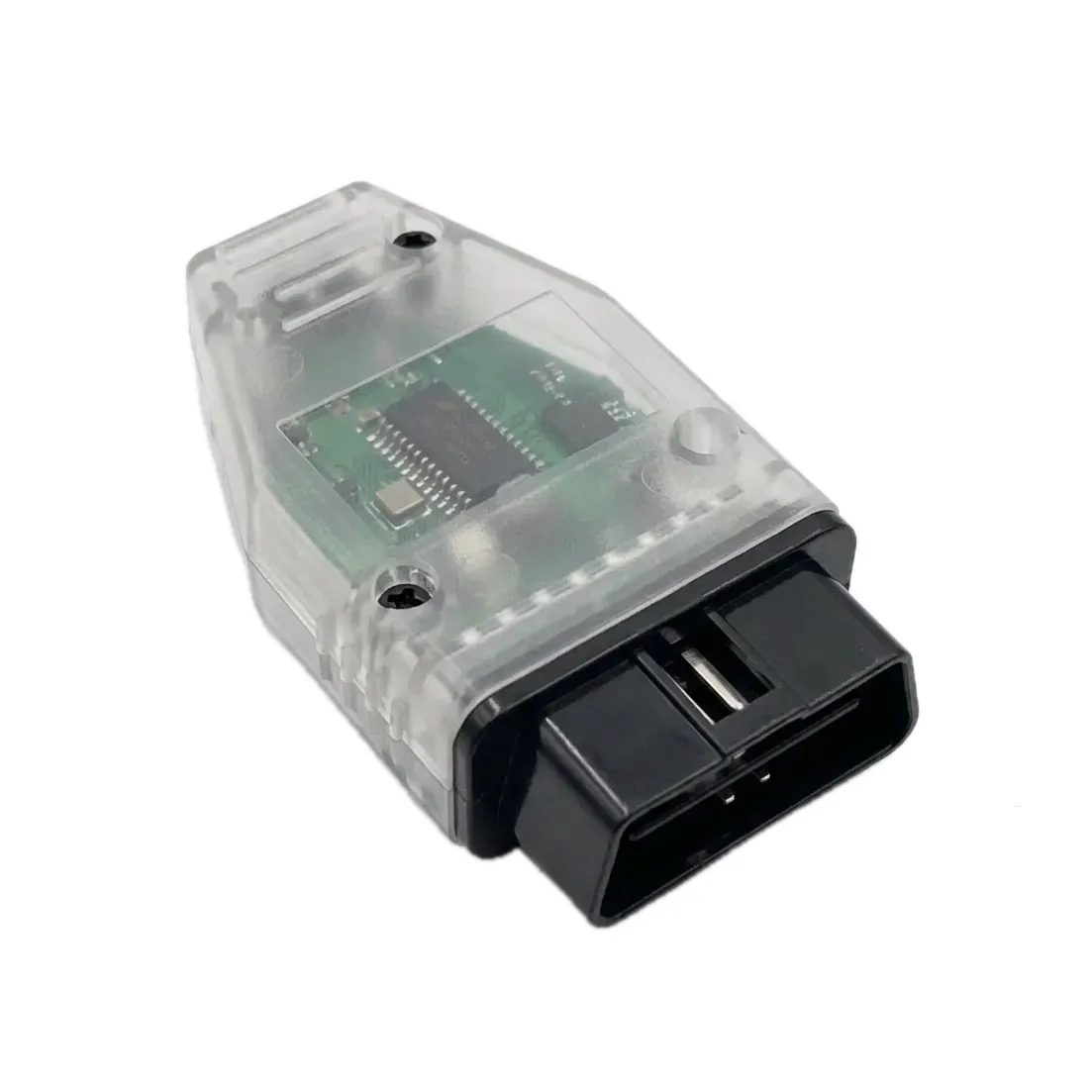
The Mid City Distronic Plus Correction Programmer for 2019+ Mercedes Sprinter Vans (907OBDDIST) from Nomadic Supply Company® provides a professional solution for optimizing your vehicle’s Distronic Plus adaptive cruise control system performance. This specialized programming tool enables precise adjustments to ensure your Mercedes-Benz operates at peak efficiency with enhanced driver assistance functionality.
Designed specifically for Mercedes-Benz vehicles equipped with Distronic Plus technology, the Mid City Distronic Plus Correction Programmer for 2019+ Mercedes Sprinter Vans (907OBDDIST) delivers reliable performance corrections through an intuitive interface. The programmer integrates seamlessly with your vehicle’s existing diagnostic systems, allowing technicians and enthusiasts to make necessary adjustments without complex procedures or specialized training.
Professional automotive technicians and Mercedes-Benz owners alike appreciate how the Mid City Distronic Plus Correction Programmer for 2019+ Mercedes Sprinter Vans (907OBDDIST) streamlines the correction process while maintaining manufacturer-grade precision. The straightforward operation ensures consistent results every time, making it an essential tool for maintaining optimal Distronic Plus system performance across various Mercedes-Benz models.
Mid City Distronic Plus Correction Programmer for 2019+ Mercedes Sprinter Vans (907OBDDIST) Features:
- Oversized Tire Compatibility: Specifically engineered to correct the Distronic Plus system parameters, allowing for the installation of larger-than-factory tires without disabling the cruise control system.
- Driver Assistance Optimization: Ensures peak efficiency and manufacturer-grade precision for adaptive cruise control, preventing system errors or “limp mode” faults common with tire upgrades.
- Selectable Configuration: Features nine (9) distinct tire size presets, providing the flexibility to accommodate a wide range of popular aftermarket wheel and tire combinations.
- Intuitive Interface: Designed for both professional technicians and enthusiasts, the programmer requires no specialized training or complex coding procedures to achieve consistent results.
- Non-Invasive Correction: Integrates seamlessly with the vehicle’s existing electronic architecture via the diagnostic port, maintaining the integrity of the factory systems.
Mid City Distronic Plus Correction Programmer for 2019+ Mercedes Sprinter Vans (907OBDDIST) Specifications:
- Vehicle Compatibility:
- 2019+ Mercedes-Benz Sprinter W907 / VS30
- 2019+ Freightliner Sprinter W907
- System Requirement: Must be equipped with factory Distronic Plus (Adaptive Cruise Control).
- Interface Port: Standard OBD-II (On-Board Diagnostics).
- Programming Presets: 9 selectable tire size options.
- Warranty: Industry-leading 4-year manufacturer warranty.
- Installation Type: Plug & Play software correction; no hardware removal or wiring modifications required.
Mid City Distronic Plus Correction Programmer for 2019+ Mercedes Sprinter Vans (907OBDDIST) Installation Guide:
Here are the easy-to-follow instructions for the Mid City Engineering 907OBDDIST programmer. This tool is used to recalibrate the Distronic Plus (Adaptive Cruise Control) system, which is often required after vehicle modifications like suspension lifts or tire size changes.
Phase 1: Initial Preparation
- Clear the Vehicle: Ensure all doors are closed and all exterior/interior lights are turned OFF.
- Wake the CAN Network:
- Without pressing the brake pedal, press the Push to Start button twice (Ignition On, Engine Off).
- Confirm the dash is fully illuminated with warning lights.
- Press the Push to Start button once to turn the ignition back OFF.
Phase 2: Programming Sequence
- Insert Programmer: Within 5 seconds of turning the ignition off, plug the 907OBDDIST module into the OBDII port under the driver-side dashboard.
- Initialize the Flash:
- Immediately press the Push to Start button twice to turn the ignition back ON.
- Check the LED light inside the programmer case (viewable through the small hole at the end).
- When the LED turns OFF, the programming is complete. This usually happens within seconds but can take up to a minute.
Phase 3: Finalizing the Process
- Remove Module: Once the LED is off, turn the ignition OFF and unplug the programmer.
- Power Cycle:
- Open and close the driver’s door to allow the vehicle’s computer systems to enter “sleep” mode.
- Wait 30 seconds before starting the engine.
Phase 4: Testing & Calibration
- Dash Check: Start the vehicle and verify that there are no “Distronic Inoperative” or cruise control error messages on the instrument cluster.
- Road Test: Drive the vehicle on a clear road to confirm the Adaptive Cruise Control is maintaining following distances correctly.
- Storage: Store the programmer safely. It is VIN-locked to your vehicle and cannot be used on another Sprinter, but it can be used again on your vehicle if a service update resets the system.
Important Safety Warnings
- Do Not Drive: NEVER start the engine or drive the vehicle while the OBD programmer is plugged into the port.
- Timing is Key: If the LED does not turn off or the programming fails, restart the process and ensure the 5-second window between “Ignition Off” and “Plug In” is followed strictly.